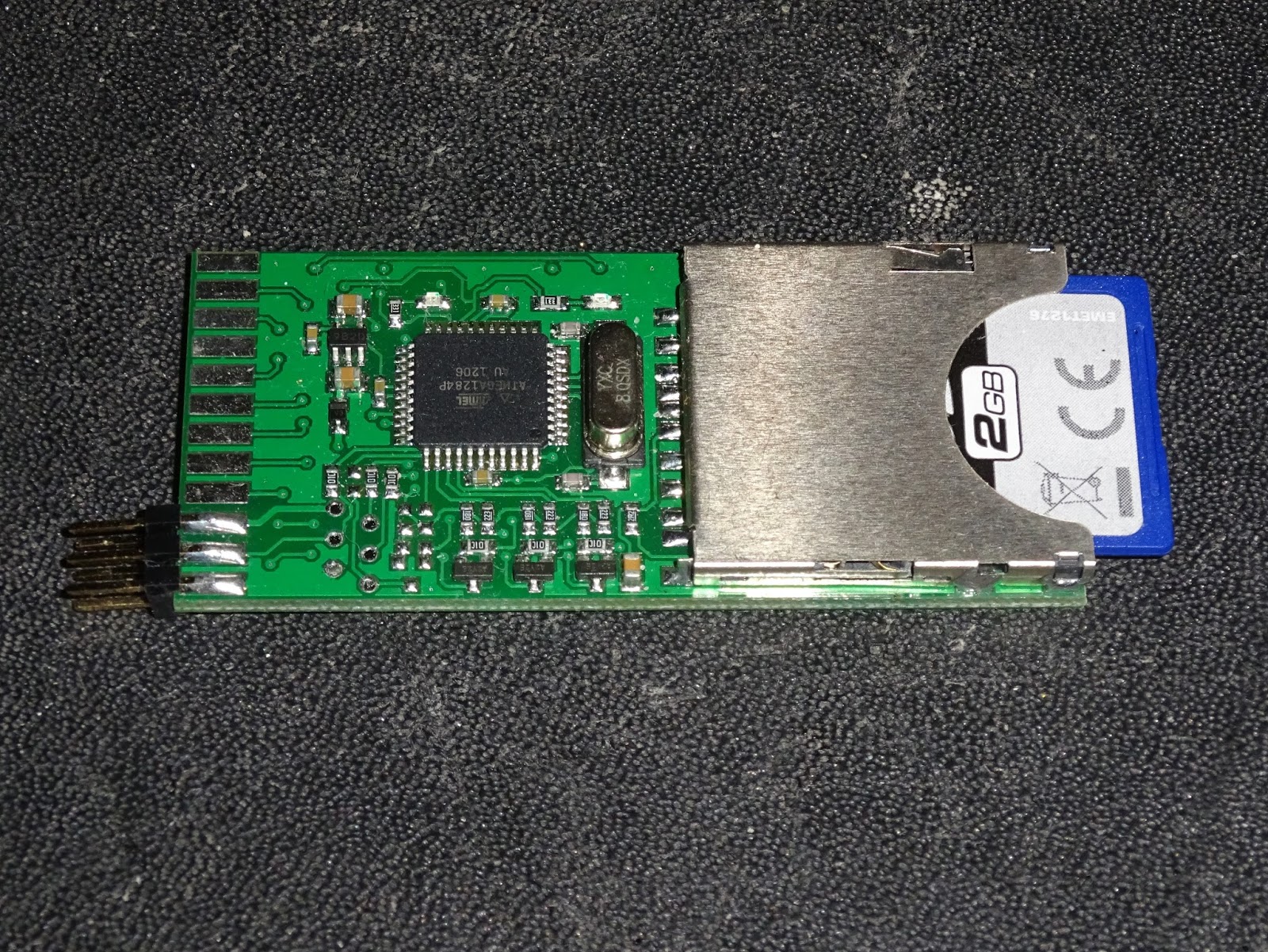
System like the VIC20 or Commodore 64 have cartridge slots, so can run diagnostic software from there. The PET does not, so this is my new 6502 diagnostics board, a board which fits in place of the 6502 CPU in systems such as the Commodore PET to run diagnostics checks on a non-functional PET.
It controls the system under test from the CPU socket in order to test RAM and ROM and other system functionality. This version has no external outputs (the 6 pin header is for programming), and instead uses the hosts video circuitry to report the results on screen.
The first application of this is on the Commodote PET, a fairly standard 6502 system with fixed areas of ROM and RAM (no paging is used until the 8296). This is running my PET diagnostics software which makes use of the PET screen and writes to its video RAM to generate a display.
Early Commodore PETs (the 2001, 2001N, 30xx and 9" versions of the 40xx) had no dedicated screen controller chip, and the video output was just whatever was written to the 1K of screen RAM. This leads to a common fault on these PETs of a screen full or random characters, which in many others systems would be a black screen error. These PETs will show this with no system RAM, system ROM and even with no CPU installed.
When the system is powered up with the 6502 diagnostics board in the CPU socket, it writes to the screen RAM and as long as that is working, a display is generated. Even if it is not working correctly, having known text written to the screen can often help diagnose what is wrong with the video circuits, in order to let you then get on with fixing the ROM or RAM or whatever else is wrong.
There are three tests implemented on the main screen. The first is testing main RAM. The PETs have between 8K and 32K of RAM. This is tested in 8 blocks of 1K, 2K or 4K, depending on the amount of RAM selected. The results from each block show which bits were bad within that block, and how many errors in total were detected. On early systems with 6550 or 2114 static RAM, each chip handles a 4 bit wide 1K block, so one bad RAM chip would show up as bits 7654 or 3210 faulty (or parts within).
Later systems used 4116 DRAMs, each a 1 bit wide 16K block. One of these being faulty will show up as errors on that bit over all the sections it covers. I may look at tying these up to IC numbers in a future version of the software. The counts shown are all hexadecimal, so 1000 errors is actually 0x1000 errors, or 4096 errors, or basically the whole 4K block.
The next test actually happened first, before drawing the screen, the video RAM was tested (since testing the video RAM writes the test characters all over the screen). The results are shown as one or two 1K block, for 40 or 80 column PETs. Errors again shown by bit. Here some partly faulty video RAM can also been seen in the occasional invalid character being displayed.
The third test on this page is ROM 7 blocks or 2K or 4K depending on the system. The test is based on a 16 bit CRC of the ROM. I test this multiple times and if the result is consistent, I use a lookup table to show which chip this is. If the CRC is not consistent, this points to a fault chip. There are weak pullups on the databus, so empty sockets give all 0xFF bytes and a consistent CRC.
The 8032 I was testing here had a faulty kernal ROM, which showed gave an inconsistent CRC. So I was able to go straight to that chip, desolder it and replace it with an EPROM and the machine was back in running order.
When there are multiple ROM or RAM errors, it could be data or address buffers or address decoding, or it could just be multiple failures. 4116 DRAM chips don't last well if one of the three supply rails they need fail. If you have multiple failures, it it sometimes a cheaper option to go for a
ROM/RAM replacement board, rather than replacing lots of chips. It can also be used to add more RAM or upgrade the version of BASIC.
The socket numbers are displayed next to the ROM results. I have actually had several PET boards in for repair which had all the right chips, but in the wrong socket. All being well, all those test pass and it holds on that screen for 10 seconds to check the results.
It then clears the screen and shows a character map. After a few seconds, the character set is changed and the alternate graphics / business characters can be seen. The PET has two character sets controlled by an IO pin setting an address line on the character ROM, so only one can be displayed at a time.
The original PET 2001 always had upper case characters in the range 00-1F region, and alternated graphics or lower case in the 40-5F range. Later PETs decided to confuse things and have upper case at 00-1F and graphics at 40-5F in graphics mode, but to switch things around and have lower case 00-1F and upper case 40-5F, which is why you occasionally get some software with annoying rEVERSE cAPITALISATION or symbols where the upper case characters should be like \aze or |litz.
After the two character maps, it goes back around and repeats all the tests, so you can just leave this running and check back to see if there are any changes to the ROM and RAM tests once the system warms up.
There are different amounts of ROM and RAM in PET systems, as well as other changes, such as the reversed character sets on the original 2001, and the CRTC initialisation on 12" 4032 and 8032 machines. Rater than having different builds for each machine, I have used a set of DIP switches to select the machine.
Sw1
|
Sw2
|
Sw3
|
Machine
|
ROM
|
RAM
|
Video
|
0
|
0
|
0
|
12" 4032
|
6x4K + 2K
|
32K
|
CRTC 40 col 50Hz
|
0
|
0
|
1
|
12" 4032
|
6x4K + 2K
|
32K
|
CRTC 40 col 60Hz
|
0
|
1
|
0
|
8032
|
6x4K + 2K
|
32K
|
CRTC 80 col 50Hz
|
0
|
1
|
1
|
8032
|
6x4K + 2K
|
32K
|
CRTC 80 col 60Hz
|
1
|
0
|
0
|
2001 *
|
7 x 2K
|
8K
|
no CRTC 40 col
|
1
|
0
|
1
|
2001N-8/3008/4008
|
6x4K + 2K
|
8K
|
no CRTC 40 col
|
1
|
1
|
0
|
2001N-16/3016/4016
|
6x4K + 2K
|
16K
|
no CRTC 40 col
|
1
|
1
|
1
|
2001N-32/3032/4032
|
6x4K + 2K
|
32K
|
no CRTC 40 col
|
If the machines is one of the 12" 4032 or 8032 systems with a CRTC chip controlling the video, this needs to be correctly initialised before the screen will show anything, so 12" 4032 is the default setting.
Most of these are 40 column systems, the 80 column version just uses the left hand side of the screen, other than the border and title.
Using the PET diagnostics is just a case of removing the 6502 CPU, installing the 6502 diagnostics board in it's place and switching on. There is no 6502 processor in this system. The only code running is on the microcontroller on the 6502 diagnostics board.
I have various plans for this, I will be adding a second screen of tests for the VIA and PIA chips and the IEEE-488 port and any other things I can think of testing. I am also looking at adding a serial output to give the results on systems with faulty displays, but the real answer is fix the display first, then you can get on with testing the rest.
If you would like one of these 6502 diagnostics boards with PET diagnostics software, PET diagnostics board is now available from my Tindie store.
Update:
The new versions of this board are now red.
There is now a notch at the pin 1 end to ensure you get it the right way around.
Note:
* There appears to be some timing issues on 2001 boards with 6540 ROMs or 6550 RAM, so consider those not supported until I resolving the timing issues.
2024 Update:
The PET Diagnostics modules are available from my SellMyRetro store: